
Selecting the xFusion software stack by layer and version
Separate device management, fleet operations, operating systems and workloads, then align licences, support and integration acceptance.
ExploreSeparate device control, fleet operations and deployment tooling. Select iBMC, FusionDirector and supporting tools by model, version and integration task.
Prepare an enquiry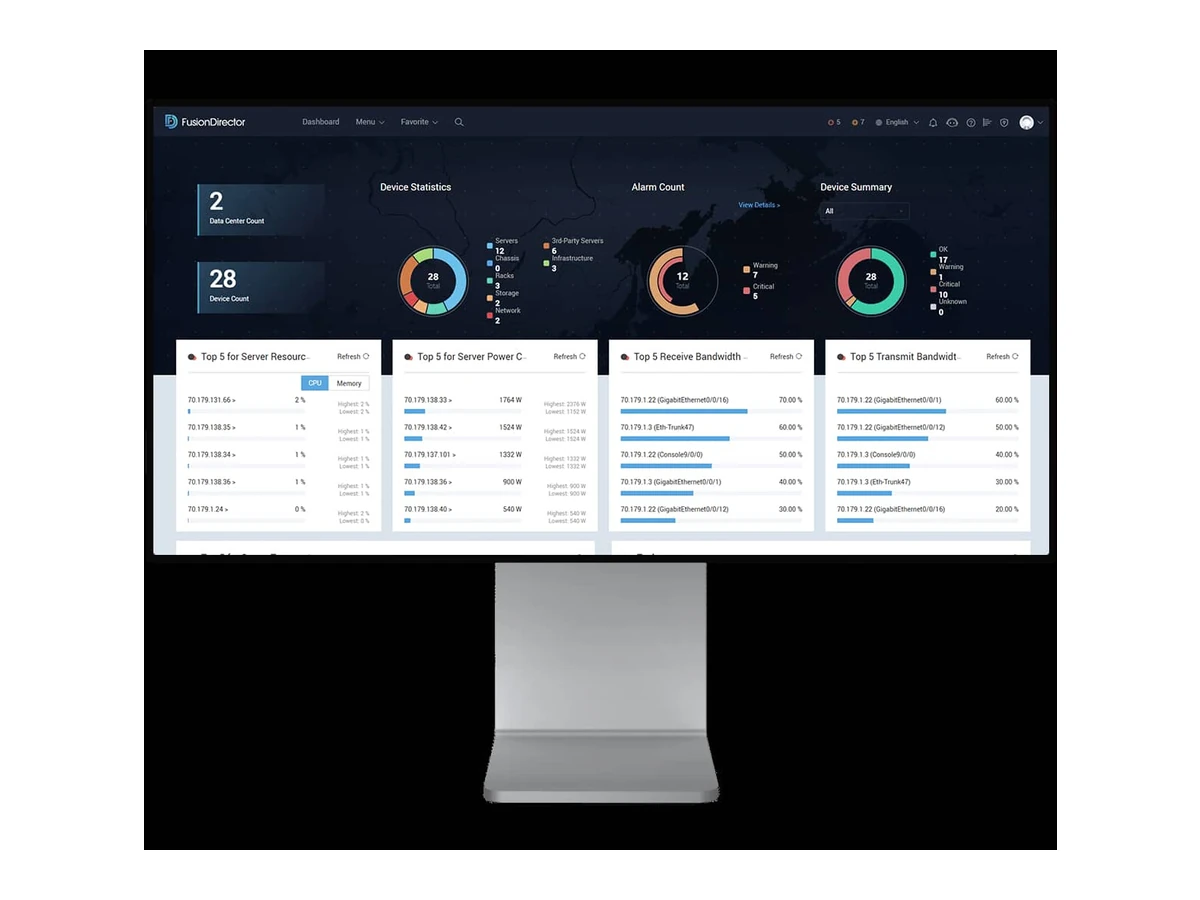
| Model | Applications | Key features |
|---|---|---|
| iBMCManufacturer details ↗ | Out-of-band server monitoring and control. |
|
| iBMAManufacturer details ↗ | Identify the installed version before planning support or integration. |
|
| FusionServer ToolsManufacturer details ↗ | Task-focused server operations tools. |
|
| FusionPluginManufacturer details ↗ | Identify the installed version before planning support or integration. |
|
| FusionOnlineManufacturer details ↗ | Remote operations platform in the management range. |
|
| FusionMobileManufacturer details ↗ | Mobile access for supported management workflows. |
|
| FusionDirectorManufacturer details ↗ | Centralized server lifecycle operations. |
|
| Smart ProvisioningManufacturer details ↗ | Identify the installed version before planning support or integration. |
|
| FusionServer iDriverManufacturer details ↗ | Identify the installed version before planning support or integration. |
|
| Management EcosystemManufacturer details ↗ | Management integration paths for the selected platform. |
|
Separate device management, fleet operations, operating systems and workloads, then align licences, support and integration acceptance.
ExploreIdentify models and CPU variants, distinguish EOM from EOS, and build a staged migration for existing rack, blade and mission-critical systems.
ExploreiBMC provides device monitoring, diagnosis and remote control on supported servers. Confirm firmware and the enabled Redfish, SNMP or IPMI interfaces for the exact system; connect management through an agreed access policy.
FusionDirector addresses centralized lifecycle management. FusionPlugin and Management Ecosystem describe integration paths, while deployment and upgrade tools have narrower tasks. Map each tool to your operating platform and required version.
Agree inventory import, user roles, alarm routing, upgrade windows and rollback. The proposal should identify tool licences and implementation work separately, with a small operational acceptance test.
Send the intended workload and configuration so we can define supply, integration and support scope.
Infrastructure, integration or software: start with the objective and the current situation.
Prepare an enquiry