
Raw, usable and effective: calculating storage capacity
Keep raw, usable and effective capacity distinct. Worked examples for TB/TiB conversion and free-space headroom help compare storage proposals.
Nominal drive capacity
After protection, reserves and system allocations
With data type and reduction assumptions
Effective capacity depends on the data. Licensed capacity is checked separately.
From drive capacity to application space
Raw capacity is the sum of the drives’ nominal capacities. Usable space is calculated after RAID protection, reserves and system allocations. This distinction helps select a configuration that can accommodate the required data. Compare proposals in the same units and with the protection layout stated.
Effective capacity estimates the logical data volume that can be accommodated with deduplication and compression. Its calculation combines usable space, the data class and the assumed reduction ratio. Licensed capacity is a separate quantity governed by the product’s licensing rules.
Compare proposals on a common basis
| Quantity | What to request |
|---|---|
| Raw | Drive count × nominal capacity per drive; explicitly state TB or TiB. |
| Usable | Capacity after protection and system allocations, with the configuration used. |
| Effective | Estimated logical data volume: usable space, reduction ratio, data classes and measurement method. |
| Licence | Licence unit, covered function and capacity-accounting rule. |
Calculating units and free-space headroom
For a worked example, six 7.68 TB drives provide 46.08 TB raw. Since TB = 10¹² bytes and TiB = 2⁴⁰ bytes, this is approximately 41.910 TiB. Both figures describe the same number of bytes. Usable capacity is then calculated for the selected protection layout, with licensed capacity calculated separately.
Free-space headroom also needs a precise calculation. If occupied space is U and 20% of the pool must remain free, the required pool is U/0.8. Multiplying U by 1.2 describes a different condition: adding 20% to the current volume. Account for snapshot and temporary migration space separately from operational headroom.
Connect capacity to the expansion plan
Current data volume, growth and the reduction ratio together shape the expansion plan. Conservative and expected scenarios show when additional drives may be needed if data grows faster or reduction is lower. This helps balance the initial purchase against later expansion.
The application owner supplies volume and growth requirements, engineering calculates usable capacity, and procurement checks licensing rules. Retaining the calculation date, software version and expansion limits makes it easier to update the configuration and budget as workloads change.
Data storage project
Discuss storage architecture for your applications, data volumes and growth plans.
Explore the technologies
Putting it into practice
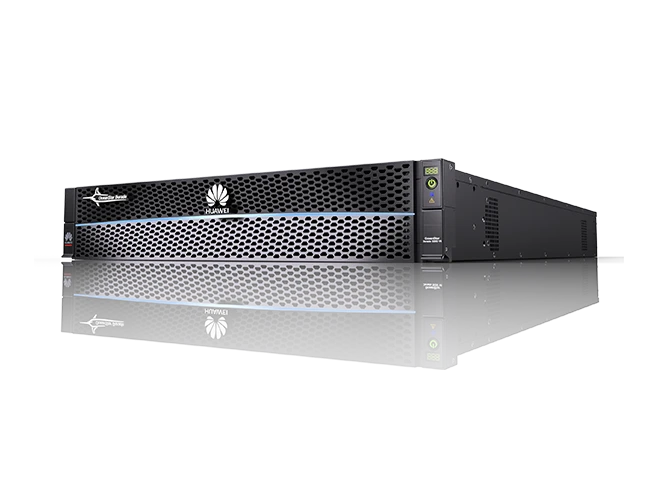

Huawei Dorado for Irshad Telecom: from design to acceptance
An NVMe all-flash storage platform for Irshad Telecom. SOFCONS engineers brought design, supply, installation, configuration and acceptance testing together in one complete engagement.
Nominal drive capacity
After protection, reserves and system allocations
With data type and reduction assumptions
Effective capacity depends on the data. Licensed capacity is checked separately.
Deduplication and compression: assess capacity savings on your data
Measure reduction on data representative of your workload. Sample selection, a 2.5:1 calculation and growth scenarios help size the initial drives and later expansion.
Storage TCO: compare proposals on equal terms
Compare Huawei, Dell and NetApp offers for the same workload, usable capacity and support period. A cost matrix and growth calculation show how expansion affects the budget.