
Snapshot, backup, replication and archive: choose by recovery task
File deletion, application corruption, array loss and site loss need different recovery paths. Assess snapshots, backups, replication and archives against those scenarios.
Point-in-time state
Copy, retention, recovery
Transfer to another endpoint
Long-term retention and retrieval
Ask a recovery question first
Saying “snapshots are enabled” does not explain how usable data returns after an incident. A snapshot records a point-in-time state; its usefulness depends on where it resides and whether that state is suitable for the application. A backup policy coordinates copy creation, retention and recovery. Replication transfers data to another endpoint, while an archive serves long-term retention and retrieval.
From incident to evidence
| Incident | Approach to evaluate | Acceptance question |
|---|---|---|
| File deleted | Earlier point or file backup | Can the required version be located and opened? |
| Application data corrupted | Consistent recovery point | Does the application owner validate the result? |
| Array unavailable | Copy on independent resources | Are catalogue, keys and target environment available? |
| Site lost | Recovery at another site | Have connectivity, identity and service dependencies been checked? |
Independence and retention
Replication can also propagate an operational mistake. Copies on different devices may still share a risk if the same administrative account can delete them. Document access rights, management dependencies, retention and deletion rules separately. If immutable storage or isolation is required, confirm the actual product version and policy. A second chassis alone does not establish an independent recovery process.
A short policy example
Illustrative scenario: working files need user-level rollback, an operational database needs application-validated recovery, and retained records need searchable retrieval. Put these objectives on separate policy lines. Give each line a data owner, retention rule, acceptable period of data loss and agreed start and end points for recovery time.
At acceptance, go beyond a successful copy-creation log. Open a sample in the target environment, record validation by the authorised application owner, and feed any gaps back into the recovery plan.
Data storage project
Discuss storage architecture for your applications, data volumes and growth plans.
Explore the technologies
Putting it into practice
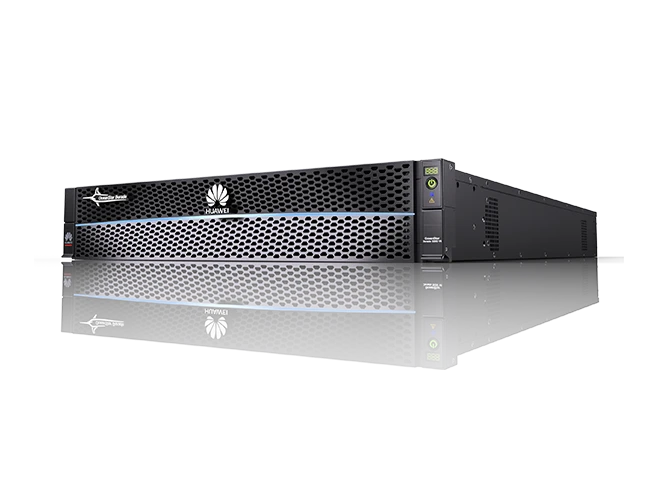

Huawei Dorado for Irshad Telecom: from design to acceptance
An NVMe all-flash storage platform for Irshad Telecom. SOFCONS engineers brought design, supply, installation, configuration and acceptance testing together in one complete engagement.
Primary storage and backup: dividing the roles of Dorado and OceanProtect
Size workload and recovery requirements separately for Dorado and OceanProtect. Connect capacity, software, connectivity and application recovery tests within one architecture.
Storage and backup acceptance: readiness for application use
Plan tests around the application workload and recovery objectives. Compare IOPS, latency, RPO/RTO and recovered application operation with agreed acceptance criteria.